
Shellspace
One tiny step towards the VR Desktop Operating System
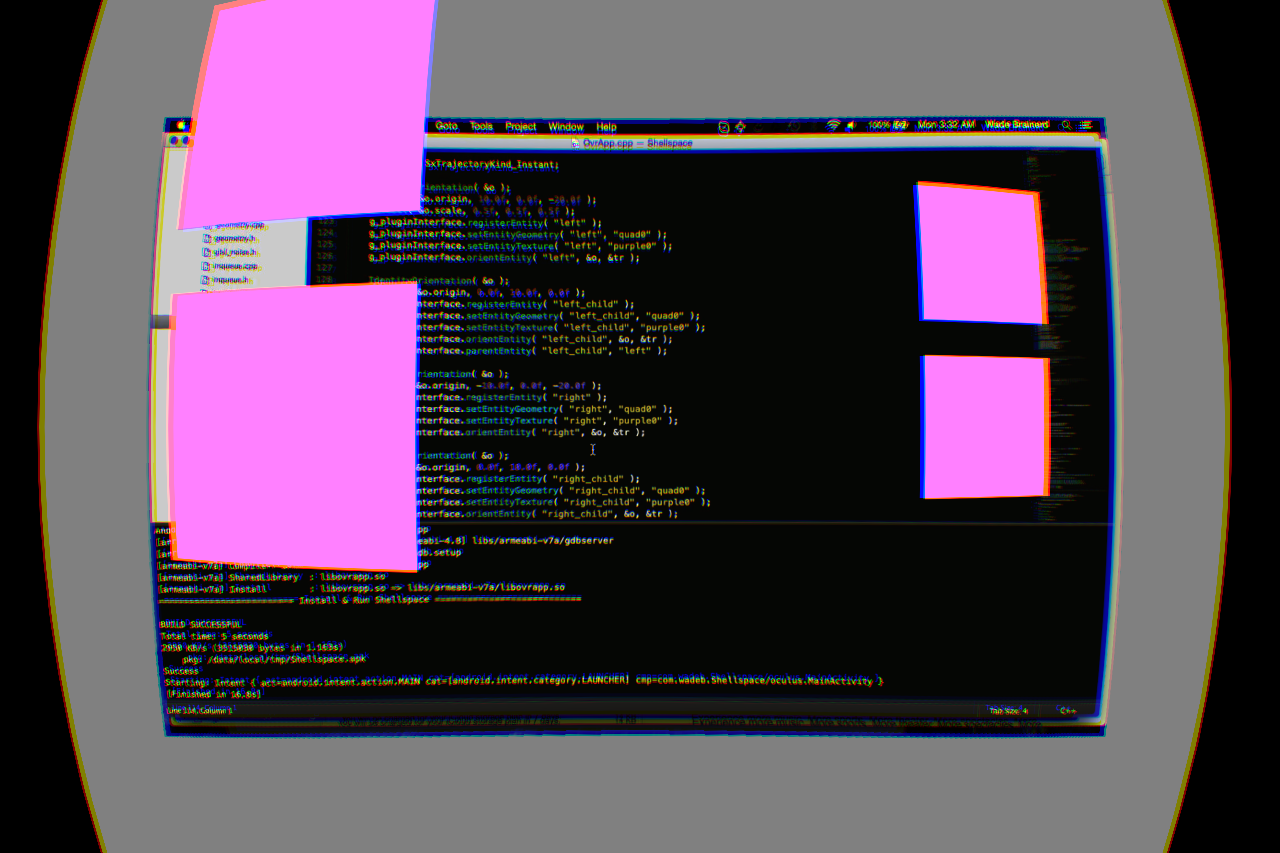
Shellspace is an architectural prototype for a VR Desktop Operating System.
It's a framework in which interactive widgets can intelligently share the VR space and offer a useful desktop-like working environment.
The core principles are:
- Stable frame rate
- Language & network agnostic API
A longer vision statement is written up at http://wadeb.com/blog/2015/02/09/shellspace.html.
This is obviously a big project. This VR Jam entry demonstrates the principles with one real widget, a VNC client, and a few toy widgets to demonstrate the API and give a sense of what's possible.
Architecture
At its core, Shellspace is a scene graph renderer, written in C++. The scene graph includes entities, geometry and textures, and is exposed to plugins through a simple DOM-like API.
Plugins run on secondary threads and interact with the scene graph through the API. In accordance with principle 1, API requests are throttled by the scene graph to maintain responsiveness.
Plugins may be written in C++, as in the VNC plugin, or in Javascript. Javascript plugins are executed using V8, the same runtime which powers Google Chrome and Node.js.
Currently, plugins run within the Shellspace core process but it's expected they will be spawned in child processes, like tabs in Google Chrome. Additional languages can be added easily. In fact, the Shellspace V8 runtime is itself a plugin.
As the entire API design is asynchronous, ultimately Shellspace plugins will be able to be hosted on different computers (imagine seeing small versions of your coworkers' Shellspaces injected into your own).
Example plugin
Here is the code for a simple widget which adds a model to the scene.
It's been reported that adding a virtual human nose to VR scenes improves comfort, and this is easy to do in Shellspace.
//
// File:   Nose.js
// Author: Wade Brainerd <wadeb@wadeb.com>
//
require( 'shellspace.js' );

var e = new Entity( 'nose' );
e.loadGeometry( 'nose.obj' );
e.orient( { origin: [ 0, 0, 0 ] } );
Interface
The spatial model employed by Shellspace is a spherical coordinate system centered on the user, where each interactive widget is allocated a spherical rectangle.
When the user is looking at a widget, input is direct to that widget, using a system like the Oculus gaze cursor.
Some input commands are also intercepted by the shell, for the purposes of creating and destroying widgets, or otherwise interacting with the shell itself.
VNC client
The most useful aspect of Shellspace right now is its VNC plugin, which supports connecting to desktop computers and displaying the remote screen within the VR environment.
A Bluetooth keyboard can be used to type on the remote system, but bluetooth mice are not yet supported.
The best way to test VNC is to simple enable a server on your local PC and use the input devices that are connected to it.
Please see this Reddit thread for users' experiences configuring their VNC servers to work with Shellspace.
Usage
Being a customizable desktop environment, Shellspace requires some configuration after installing.
After installing the APK, create a text file user.cfg and place it on the SD card in /Oculus/Shellspace/. Give it the following contents:
vnc create vnc0
vnc connect vnc0 10.0.1.4 asdf
vnc0 zpush 10
Replace 10.0.1.4 and asdf with the server and port of the VNC server you wish to initially connect to.
After starting the environment, look around to activate various widget zones. Press the back button briefly to open the context sensitive menu, and play around with what is provided there.
Extending
If you'd like to try writing plugins for Shellspace, it's possible to do so in Javascript using the published APK.
First, write your plugin and save it on the SD card in /Oculus/Shellspace/. For a working example, see the Shellspace GitHub repository.
Next, amend your user.cfg and add the following line:
v8 load myplugin.js
Any exceptions or other issues are currently printed to the Android console, so you will need an adb connection to see them.
Reaction
Having posted two test builds since the global signing tool release, it's been highly motivating to hear feedback from people who took the time to set up a VNC server and get Shellspace working.
It was a real pleasure to finally have some semblance of a useful app for the gearvr. -Reddit user Mallmagician
I keep envisioning some of the possibilities here [...] Widget wishlist is rapidly forming in my head -Reddit user CLor0x
There is quite a lot of interest in "working" in VR, and some of the foundational elements laid by Shellspace appear to be bearing out.
Open source
Shellspace includes GPLv2 source code, in particular the VNC client library. As such, the entire source code is available and is licensed GPLv2.
The GitHub repository is at https://github.com/wadetb/shellspace, and contributions are welcome.
If you're curious about the coding style, it's derived from what I use at my day job working on the Infinity Ward engine (which powers Activision's Call of Duty titles).
0 comments