
VRRRM
#VRRRM bringing Real Time Fitness to VR, one step at a time
VERY IMPORTANT: To avoid Android security settings popups, you MUST enable Bluetooth on your Note 4 and make it visible to other devices for 2 minutes before launching this app.
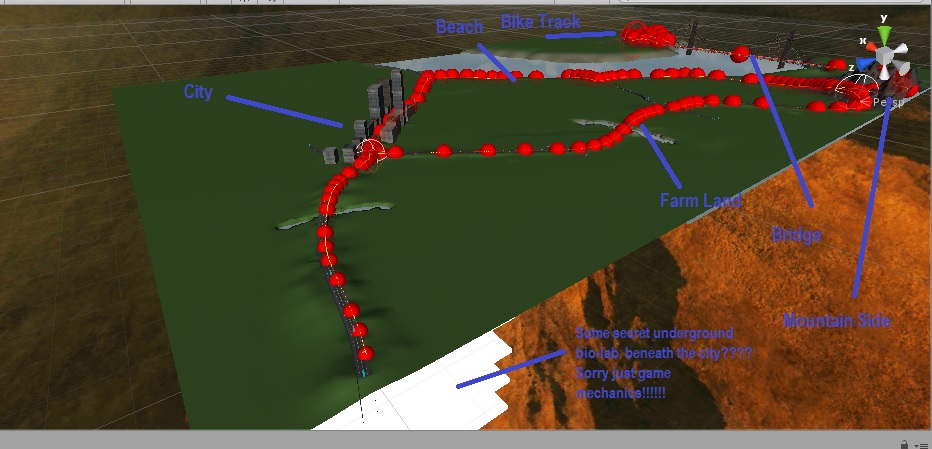
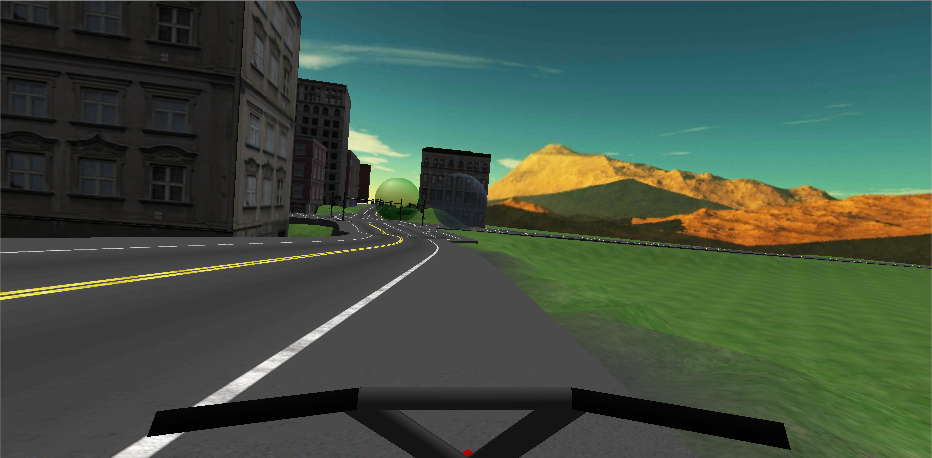
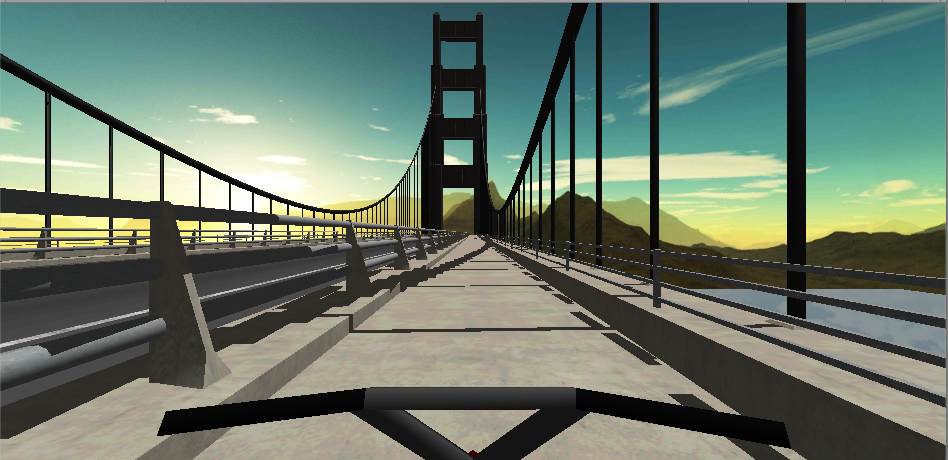
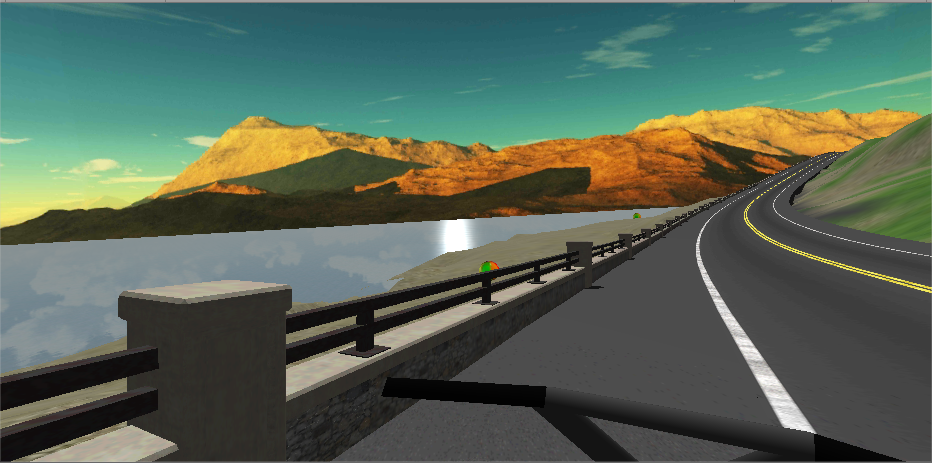
VRRRM is a road coaster-based experience that puts you in an immersive environment where you can explore it in real-time by simply exercising. VRRRM is in the genre Real Time Fitness.
To use this app requires at minimum a stationary exercise bike or a chair and a second android phone is highly recommended.
You can attach the second phone to your thigh with either another Gear VR device, a mobile armband, or the use the Life Hacker worthy design shown on my submission page.
If you don't have a second device you can turn on tap to pedal in the menu.
Users will ride an in-game bike and be able to control both their movement speed and select different paths at some junction points. The movement will be more intuitive and more accurate than using a
Obesity affects 2.1 billion people world-wide, and estimated 80% of Americans lack the recommended amount of exercise. VRRRM hopes at making exercise both fun, safe and rewarding.
Innovations:
*TSelect menu is an fast way to answer Yes/No questions without using your head as a cursor. Simply tap anywhere on the touchpad. One tap for yes and two taps for no. The Tselect method allow developers to target the visually impaired market. Allowing them to build audio based apps and games with easy to use menus. TSelect system is much faster than head gazing.
*Co-processing. By using an external mobile device that does not have to render graphics, allows the additional device to dedicate itself to process instructions such as AI that would otherwise have been handled by the main device. This allows the Gear VR to produce better scenes, run cooler, and faster, hence provide a much better user experience.
*The pedal system. Unlike traditional Oculus biking apps that requires lots of wires, arduino kits to be outfitted to an exercise bike, VRRRM offers, user friendly and portable approach.
By using a separate device to track your leg movements you can sit safely on an exercise bike or chair. The detection is much more accurate as the 2nd device is positioned optimally, has a much lesser processing load.
At the same time this apps help fight the lack of exercise and obesity that affect over 1 billion people world-wide.
The pedaling movement is highly intuitive, simply pedal to move forward. And the leg strap can be made mostly with ordinary items you may find around the house.
No more boring text or photo rewards at the end of an uneventful exercise regime like traditional exercise motivation apps.
By utilizing a Bluetooth connection you don't need to find an open WIFI connection to connect your devices together.
How to use.
Bluetooth settings.
1) Have you previously paired your two phones and are they still paired? You may have paired them to transfer music. They will generally remained paired unless you update their OS, etc
YES ----> Please go to step 6
No ----> Go to Step 2
2)You can pair it manually in android settings. If you are not sure how you can install two VRRRM clients which will help you pair your two devices. Simply install the VRRRM Client on both devices, and run VRRRM Client on both devices.
3) Press the + button in the top left hand corner. And click Use Bluetooth on both devices.
4) On one device Click Create Server. When you see the popup click Allow. Wait around 5-10 seconds and on the other device select join server. Now find the first device the list and select that device.
5) You should see a pairing window. Click Yes to pair. Once this has been done the server window should change colors. You can now close both applications. (Note as long as you have clicked YES to pair devices on both device they should be paired.)
6) Install the VRRRM server on your Note 4. And the VRRRM client on your other phone if it hasn't already been installed
The following steps are required due to the security settings of Android and must be done each time before playing VRRRM.
7) Go to the Android Bluetooth settings on the Note 4 and turn on Bluetooth and click your device so it is visible to all devices for 2 minutes.
8) Run VRRRM Server on your Note 4 and plug it into your Gear VR. Once the game has finished loading please allow it about 5 seconds to setup the Bluetooth server.
9) On your other device run VRRRM Client and press the + button.
10) Click join server, wait about 10 seconds then select the Note 4 from the list. If there is a successful connection the color of the screen on the client should change. In addition you should move a tiny bit on the Gear VR if you shake the VRRRM client device.
If it does not connect repeat steps 10. If you cannot get it to connect after 2 minutes you will need to start again from step 7.
Notes:
*Please note you're in-game movement is restricted in the first 12 seconds after a successful Bluetooth connection allowing time to secure your other device and put on the Gear VR.
*Both devices will be prevented from sleeping. If you manually put the Server device into sleep or minimize the game it may be bugged when you return to it.
*You may want to turn off Bluetooth after playing to conserve your battery life.
*You will probably need to perform step 7 even if you don't have a second device.
Controls:
Move forward: Pedal the bike to move forward. For your safety the pedaling detection speed has been capped at 140 RPM.
Brakes: Slide your fingers downwards on the Gear VR touchpad.
Path selection : Tap the touch-pad when a Path selection is shown. These will appear as floating spheres. The path you select will appear green.
Show/Hide Menu: Slide your finger upward quickly on the Gear VR touchpad.
Next Menu item: Slide your finger left/right on the touchpad.
TSelect: TSelect is a menu selection system that lets you answer Yes/No questions quickly. To answer a TSelect question. One tap is yes and two taps is no. By default a TSelect will treat two taps within 0.45 seconds as a double tap.
The Road ahead
*This app could be massive. Huge level designs, custom bikes and parts, heaps of cars, clothing, avatar etc. I could spend thousands of hours on this.
*Support devices like Fitbit, Samsung Gear Watch, Apple watch. Bluetooth!!!!
Lightweight builds. Making simpler version for lower end hardware. The Gear VR is a sturdy device, devices like Google cardboard might work and may not fall apart due to sweat or vibrations from the bike?


Server APK for Gear 4: https://vrjam-submissions.s3.amazonaws.com/signed/4914f62cfc93/nsHYKivTQyaXNyFuoQqe_VRRRM_Server_1x05_VR.apk
Client APK for pedal: https://vrjam-submissions.s3.amazonaws.com/signed/4914f62cfc93/xmumEu15RJSYQyH2uWPk_VRRRM_Client_v1x00.apk
0 comments